GIBSON Mainframe Simulator
Gibson is a Python-based simulation of IBM mainframe designed to help cyber practitioners, students, and penetration testers explore mainframe concepts in a controlled and realistic environment. It's important to understand what it is – it is not a mainframe that can be used for technical purposes or achieving any other goal than being a simple to use simulation for command input. It provides the look and feel of a mainframe for anyone who wants to get a better understanding of them. This has been necessary as obtaining access to something resembling a modern mainframe environment, with its relevant components, that is either not "production" or seriously tied down is extremely difficult – yep, building a lab is not easy!
Please note: Gibson is completely free, comes with no warranty, is an educational simulation, and is deliberately vulnerable so should never be exposed to the Internet. You are free to change the code, improve it, adapt it for your own purposes, but you can't sell it, sell anything you create from its base code. The original will always be linked here or on my GitHub page.
I've tried to make the documentation not overwhelming and the install simple enough. Having installed some actual (real) mainframe software in the past on my laptop, I am aware of the pain of just wanting to use something and having to be close to a technical expert with a pure determination to succeed just to get the thing installed!
Gibson simulates many core subsystems of a mainframe—TSO, CICS, DB2, FTP, ISPF, OMVS, and JES—using Python scripts and configuration files. It enables learning through interaction, scripting, and exploitation of realistic (yet safe) vulnerabilities. It can also (in a limited way) interpret REXX, COBOL, JCL so you can write some code and it will run as if it is on z/OS (as I said, more for demos than anything). It also has a handy command help facility so you can type HELP or HELP COMMAND or start a command and place a ? to show commands - e.g SEARC? will give you the SEARCH commands.
Installation
Let's get the installation started and then we can start discussing Gibson in greater depth. First of all, head over to this site and look for GIBSON on the navbar. From there download the Gibson and the latest version of this document (you may already be reading it). Ensure you read the simple download instructions to ensure you place the Gibson Package in the correct place.
> Download and unzip the gibson-mainframe-latest.zip file in your Linux home directory.
> It will create /gibson_mainframe directory.
> chmod +x *.sh
> ./install_gibson.sh --venv
> ./gibsonctl.sh start
Once in the simulator it will look for you to IPL -
r 01,CLPA
r 02,U
r 03,Y
r 04,1234
r 05,HOSTNAME (the name of your new mainframe e.g. MYLPAR)
r 06,DVCAPIN=1337
You'll be in the master console - but then it will be time to use the client. I recommend netcat, nc or ncat. Connection port is 2023 for TSO. Type L TSO when you see the GIBSON welcome screen.
Users and passwords that work straight away: IBMUSER/SYS1 (SPECIAL) and GUEST/GUEST (NONE)
I've tested this on Ubuntu, Kali, Pi OS, Linux Mint, and Kali on Pi. It is written in Python and will run from Python 3.10.12 and up.
Download the GIBSON mainframe simulator.
Download the training manual and documentation.
If you are looking for a client to connect to GIBSON, we recommend Web3270 by Britley Hoff — it also comes with many goodies including working through a browser.
View Web3270 on GitHubSomething exciting is on its way...
Watch this space!
Gibson Screenshots
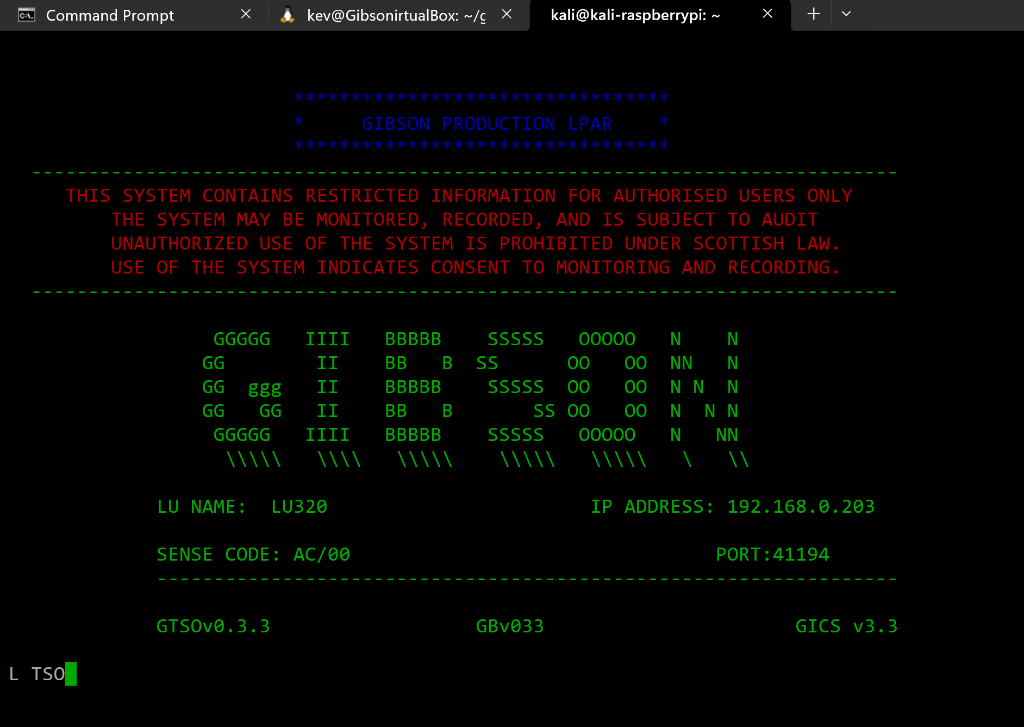
Terminal Interface
Gibson's authentic mainframe terminal experience
Mainframe Visualization
Modern visualization of classic mainframe concepts
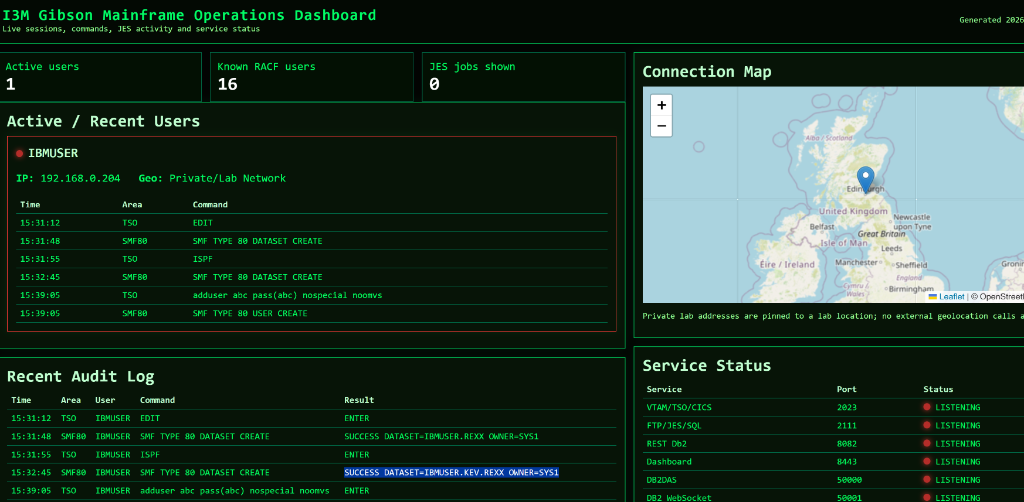
Management Dashboard
Monitor active sessions and system status

